
Netis Router Price in Bangladesh
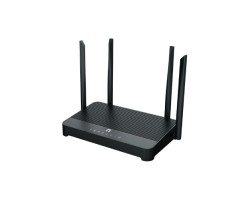
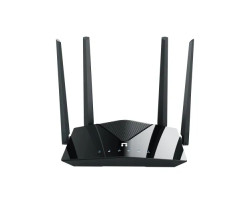
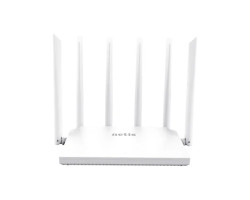
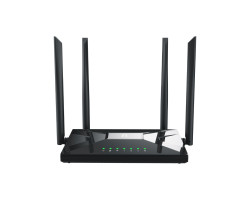
In Bangladesh, the demand for stable and affordable internet connectivity continues to grow, and the Netis Router has become a popular choice among home and small office users. Known for its budget-friendly pricing and reliable performance, the Netis router offers a practical solution for users who want consistent internet without spending too much. When searching for the Netis Router price in Bangladesh, users will find a variety of models that cater to different needs, from basic browsing to moderate streaming and office work.
The Netis WiFi Router is designed with simplicity and efficiency in mind. Most models come with essential features such as wireless connectivity, multiple LAN ports, and easy setup options. These routers typically support standard wireless technologies, ensuring compatibility with smartphones, laptops, smart TVs, and other connected devices. Reason Netis routers are easy to configure, even non-technical users can install and manage their network without difficulty.
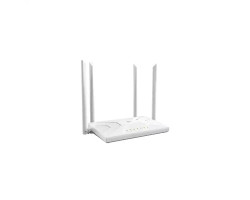
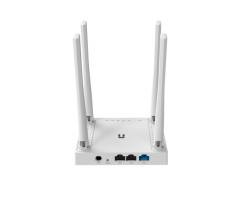
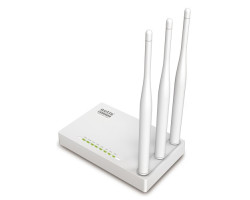
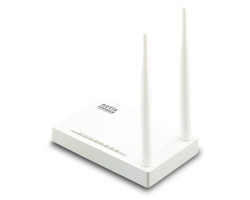
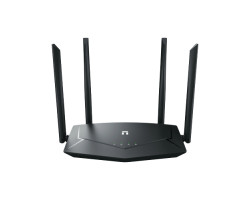
From a performance perspective, Netis routers are equipped with stable signal transmission and decent coverage, making them suitable for small to medium-sized homes. Many models include high-gain antennas, which help improve signal strength and reduce dead zones. This ensures that users can enjoy uninterrupted browsing, video streaming, and online meetings. For users basic internet, the Netis router provides a balanced combination of speed and reliability.
Another important factor influencing the popularity of Netis routers is affordability. The Netis Router price in Bangladesh is generally lower compared to many other brands, making it an ideal option for students, small businesses, and budget-conscious users. Despite the lower price range, the quality and performance remain satisfactory for everyday use. This makes the Netis WiFi Router a strong competitor in the entry-level networking market.
In addition to affordability, Netis routers are designed with essential security features such as WPA/WPA2 encryption, which helps protect the network from unauthorized access. Easy interface and quick setup options allow users to customize settings, manage bandwidth, and control connected devices with ease.
For users looking for a simple, cost-effective networking solution, the Netis router stands out as a reliable option. Whether it is for home internet use, small office setups, or basic connectivity needs, this router delivers consistent performance at an accessible price point. When comparing the Netis Router price in Bangladesh, it becomes clear that it offers excellent value for money without compromising essential features.
Netis Router Password Change
To change your Netis router password, first connect your device to the router via WiFi or LAN cable. Then open a browser and enter 192.168.1.1 or 192.168.0.1 in the address bar. Log in default username and password usually admin / admin (or check the router label). After login, go to Wireless Settings or Security Settings, then change the WiFi password (SSID password). Finally, click Save/Apply and reconnect using the new password.
Netis Router Admin Login App
Currently, Netis does not provide an official dedicated mobile app like some other brands. Instead, the router is managed through a web-based admin panel. You can access it from your mobile browser by typing the router IP (192.168.1.1). The interface is mobile-friendly, so setup and configuration can be done easily from a smartphone.
Netis Router Setup
Setting up a Netis router is simple and quick. First, connect the router to power and plug the internet cable (WAN port). Then connect your phone or PC to the router network. Open a browser and enter the login IP (usually 192.168.1.1). Log in, the setup wizard will appear automatically. Here, select your connection type (PPPoE/Dynamic IP), enter ISP username and password if required, then set your WiFi name and password. Click Save, and the router will restart and apply the settings.
FAQs About Netis
Q:What is the default IP of a Netis router?
The default IP is usually 192.168.1.1 or 192.168.0.1.
Q:How do I reset my Netis router?
Press and hold the reset button for 10–15 seconds until it restarts.
Q:Why is my Netis router not connecting to the internet?
Incorrect ISP settings or loose cable connections are usually the cause.
Q:How can I improve Netis WiFi signal?
Place the router in a central location and avoid obstacles or interference.
Q:What is the default Netis router login password?
The default login is usually admin / admin.
Q:Can I use Netis router for fiber internet?
Yes, it can be used with ONU or modem for fiber connections.
Latest Netis Router Price List in BD 2026
View today 23-09-2026 Last Updated Prices of Netis Router in Bangladesh. Last Updated Date 09/22/2026
| Netis Router List | Price in BD |
| Netis NX31 AX3000 Dual Band WiFi 6 Router | 6,399৳ |
| Netis NX10 AX1500 Dual-Band Gigabit WiFi 6 Router | 3,650৳ |
| Netis NC63 AC1200 Dual Band Gigabit wifi Router | 3,100৳ |
| Netis NC65 AC1200 Dual Band WiFi Router | 2,850৳ |
| Netis NC21 AC1200 Dual-Band Router | 2,000৳ |
| Netis W4 300Mbps single band WiFi Router | 1,550৳ |
| Netis WF2409E 300Mbps Wireless N Router | 1,499৳ |
| Netis Wf2419E 300Mbps Wireless N Router | 1,450৳ |